A Nibble Workshop Game
mySudoku
Play · Learn · Sync
A sudoku that teaches. Every puzzle has exactly one solution and is rated by the technique it needs — and when you're stuck, a hint shows you the technique instead of just the answer.
Native for iPhone, iPad and Mac. Five difficulty levels, a shared daily challenge, interactive technique lessons, Game Center leaderboards, and iCloud sync so every puzzle follows you from device to device.
Difficulty
Five levels, honest ones.
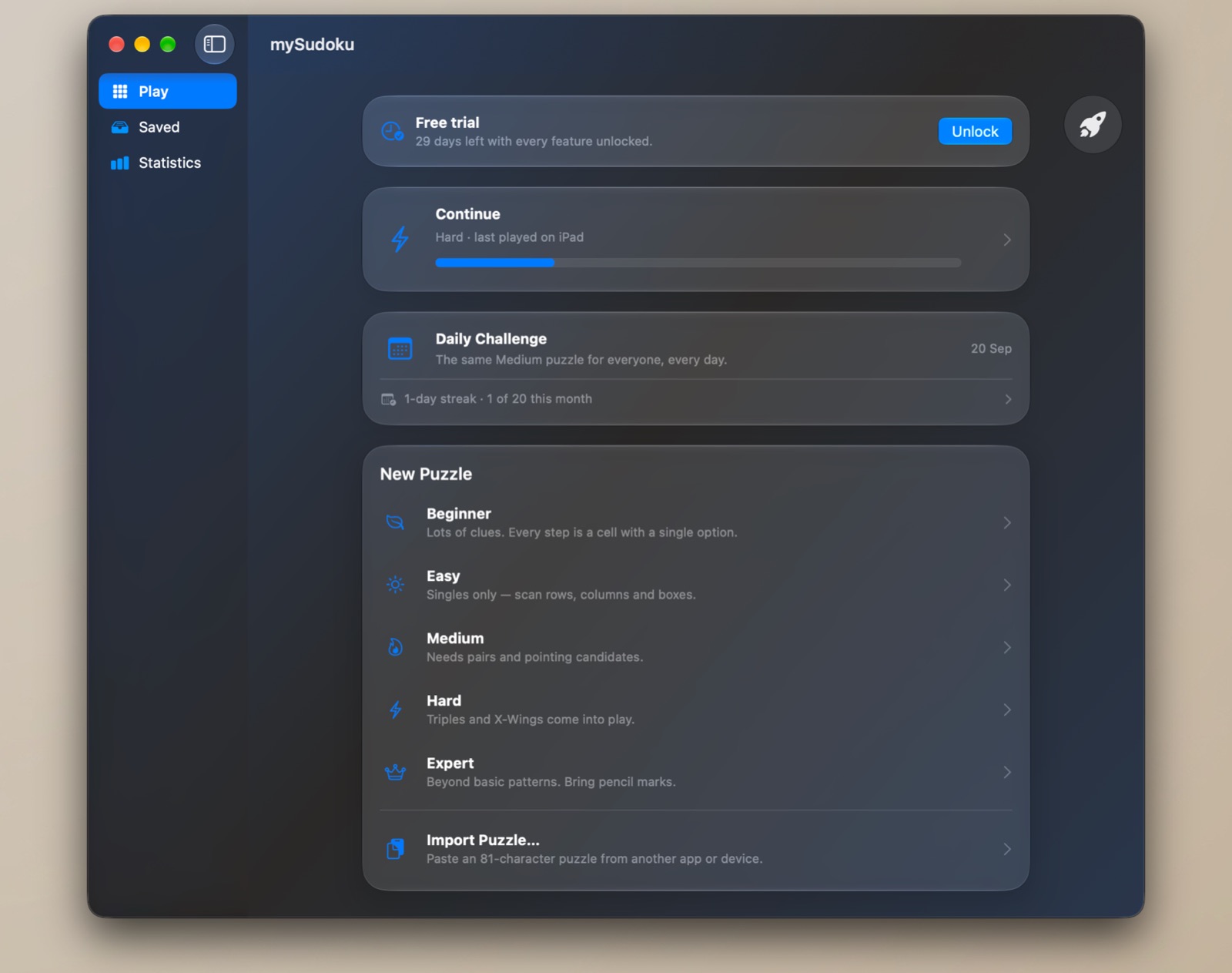
Most apps grade a puzzle by how many clues it shows. mySudoku grades it by the hardest technique a logical solver needs to finish it — which is what you actually feel when you play.
Beginner
Lots of clues. Every step is a cell with a single option. Unlimited hints, and free forever.
Easy
Singles only — scan rows, columns and boxes for the one place a digit can go.
Medium
Needs pairs and pointing candidates. The tier every daily challenge is set at.
Hard
Triples and X-Wings come into play. One hint, and you'd better make it count.
Expert
Beyond basic patterns — Swordfish, Y-Wing or coloring. No hints, no pencil marks. Solved in your head.
Every puzzle is generated on your device and checked to have exactly one solution. Have a puzzle from a newspaper or another app? Paste it in as 81 characters and mySudoku rates it, saves it and syncs it like any other.
Hints That Teach
Stuck? Learn the technique, not just the digit.
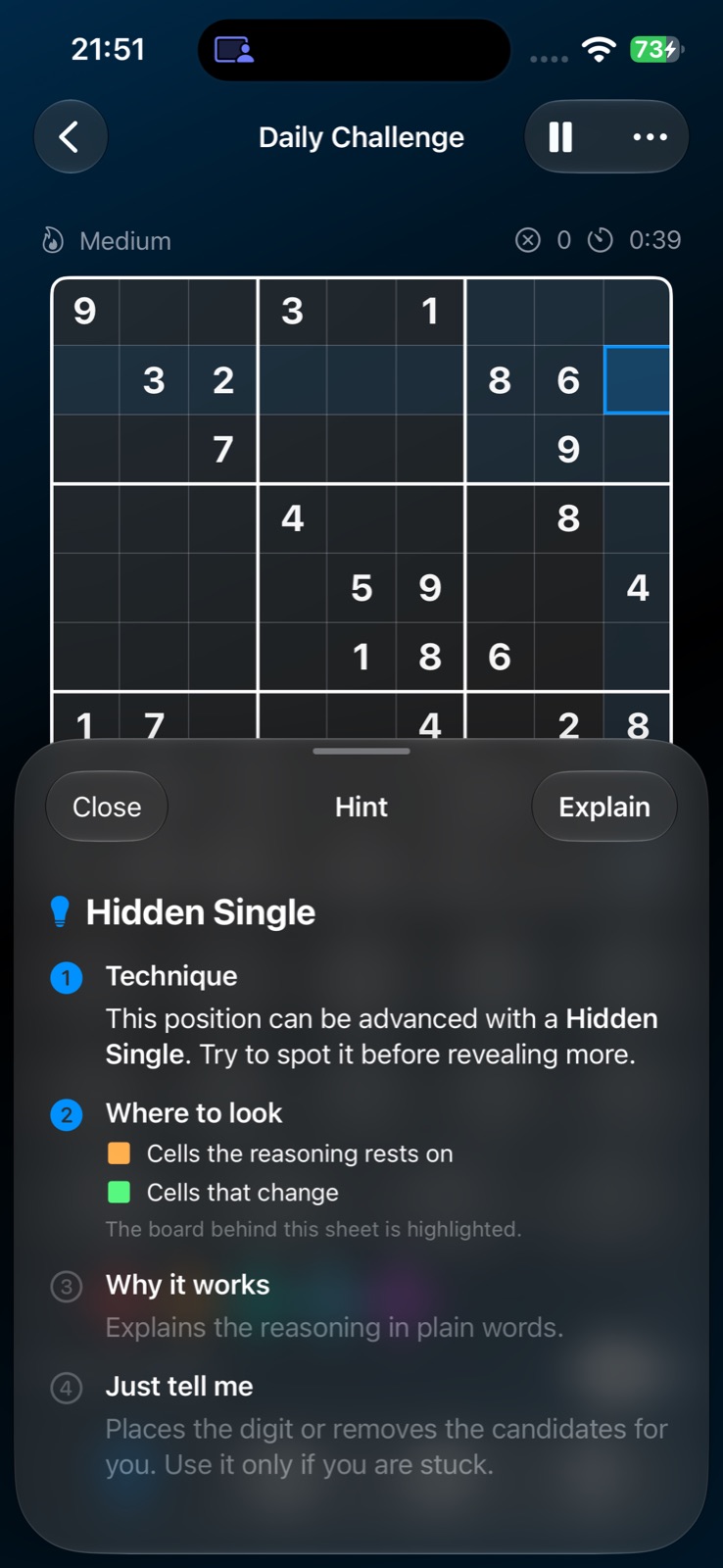
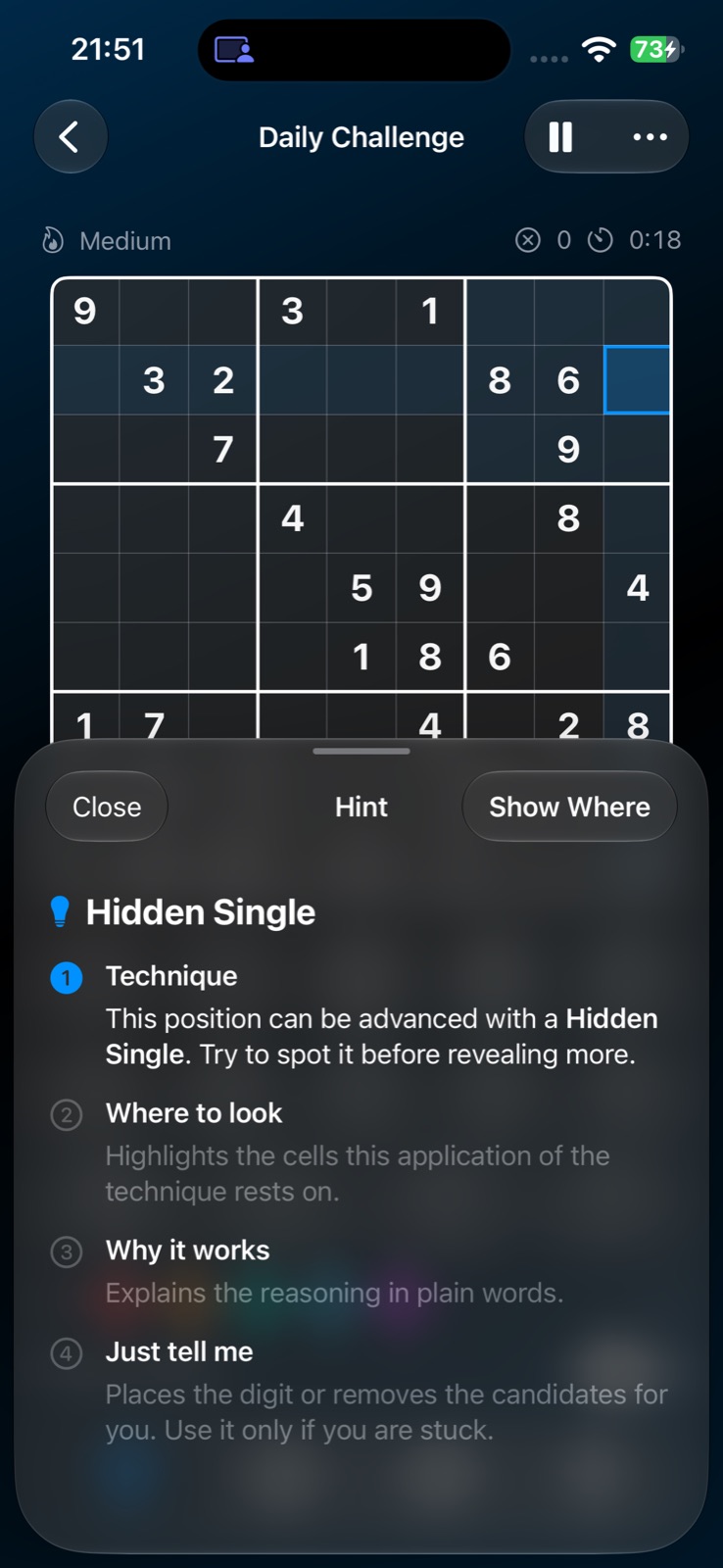
A hint runs a real logical solver from your current position and finds the simplest step that applies. Then it reveals that step in four stages — you decide how much you want to see.
- 1 Technique. Names the pattern — Hidden Single, Naked Pair, X-Wing — and asks you to try spotting it first.
- 2 Where to look. Highlights the cells the reasoning rests on and the cells that change.
- 3 Why it works. Explains the reasoning in plain words.
- 4 Just tell me. Places the digit or removes the candidates for you — only if you're truly stuck.
Hints are rationed by tier — unlimited on Beginner, five on Easy, three on Medium, one on Hard, none on Expert — so the bulb never becomes an autopilot. If there's a wrong digit on the board, the hint asks you to fix it first, for free.
Gameplay
A clean board on every screen.
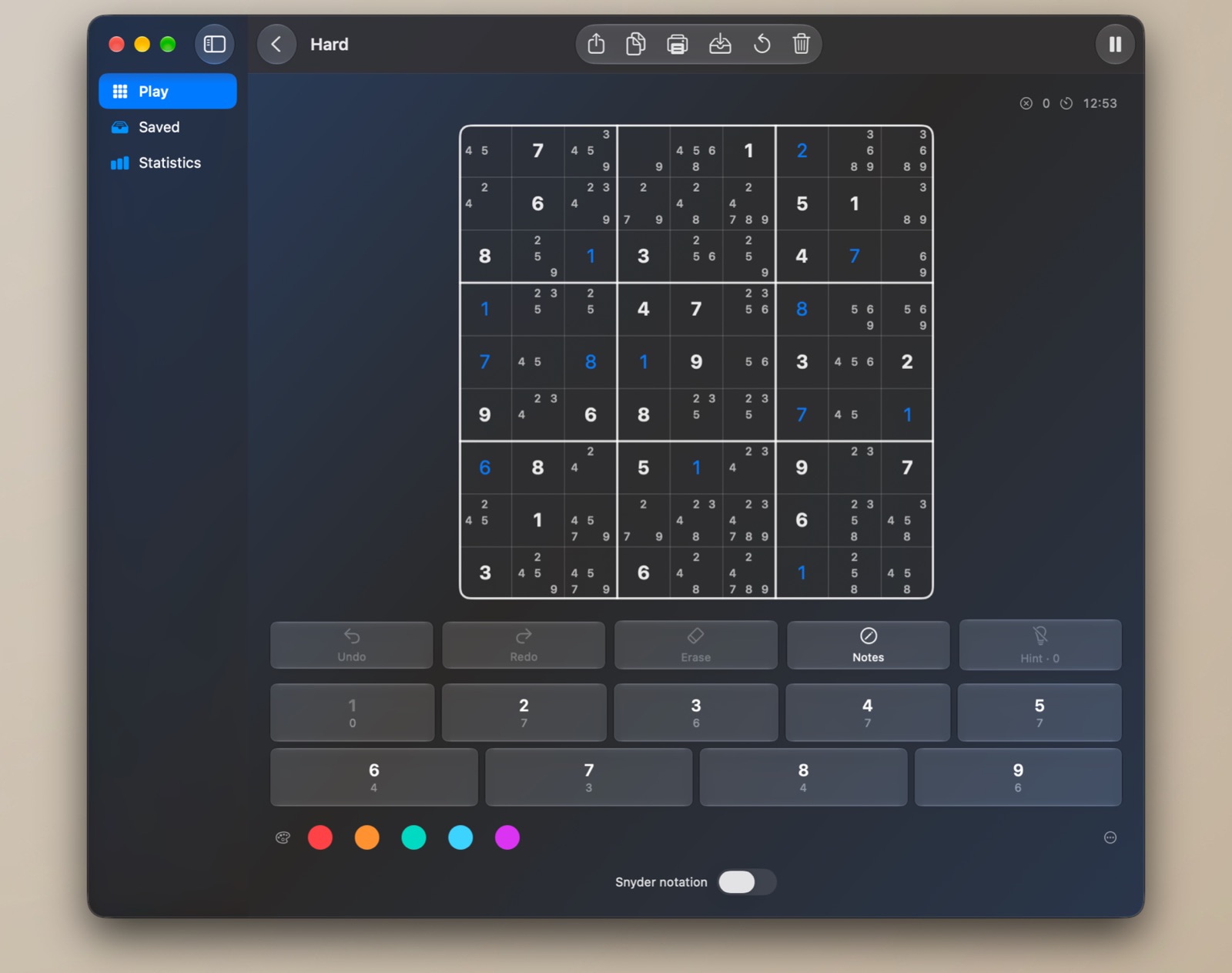
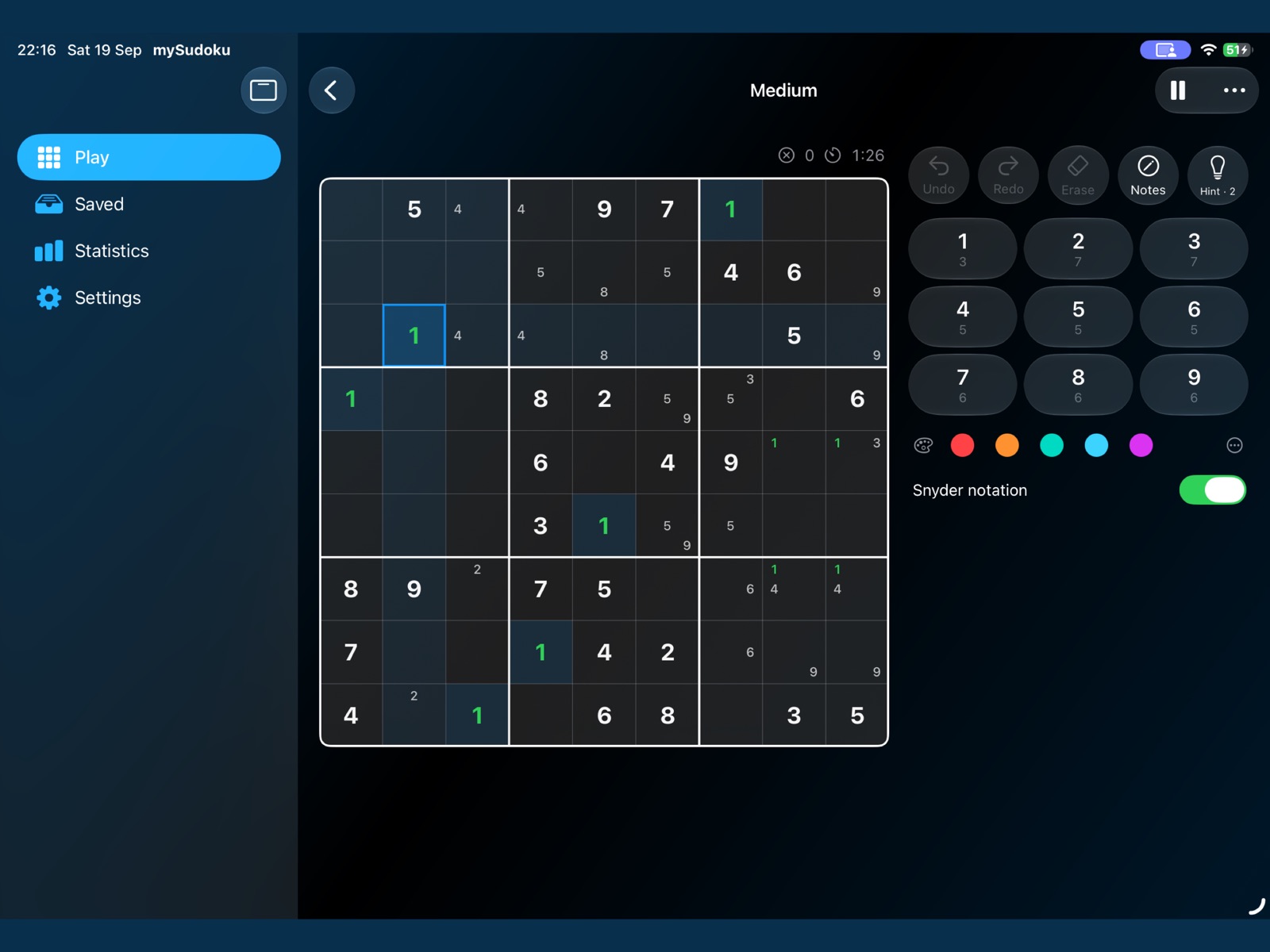
Big cells, pencil marks that scale with the grid, conflicts highlighted the moment they appear, and light or dark appearance following your system.
Learn
Twelve techniques. Watch them become yours.
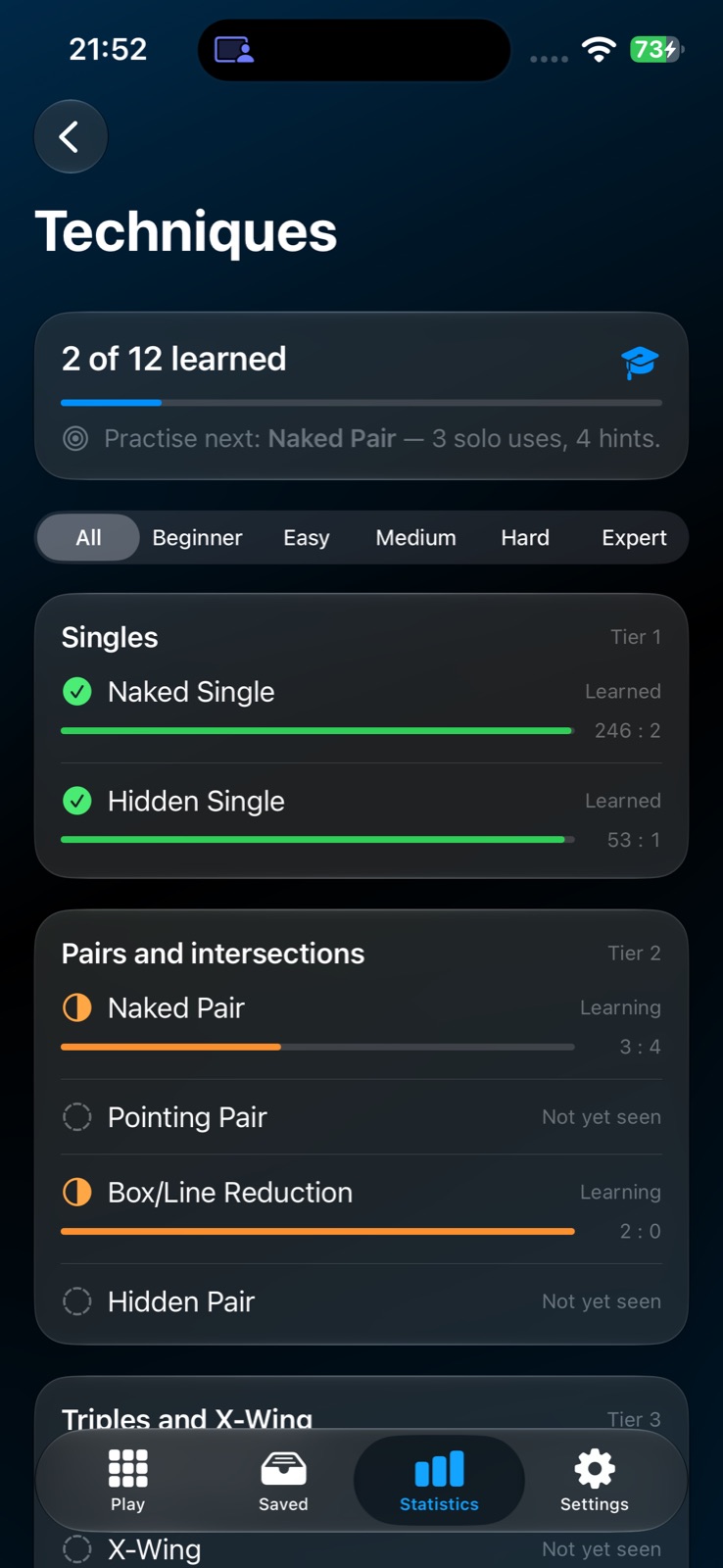
Every time a technique is used — by you on your own, or with a hint — mySudoku keeps count. A technique is Learned once you've applied it yourself often enough, and more often than you've asked about it.
The Techniques screen doubles as a map of everything the game can teach, tells you which one to practise next, and opens an interactive lesson on a real board position. From there, generate a fresh practice puzzle built around exactly that technique.
Daily Challenge
The same puzzle for everyone, every day.
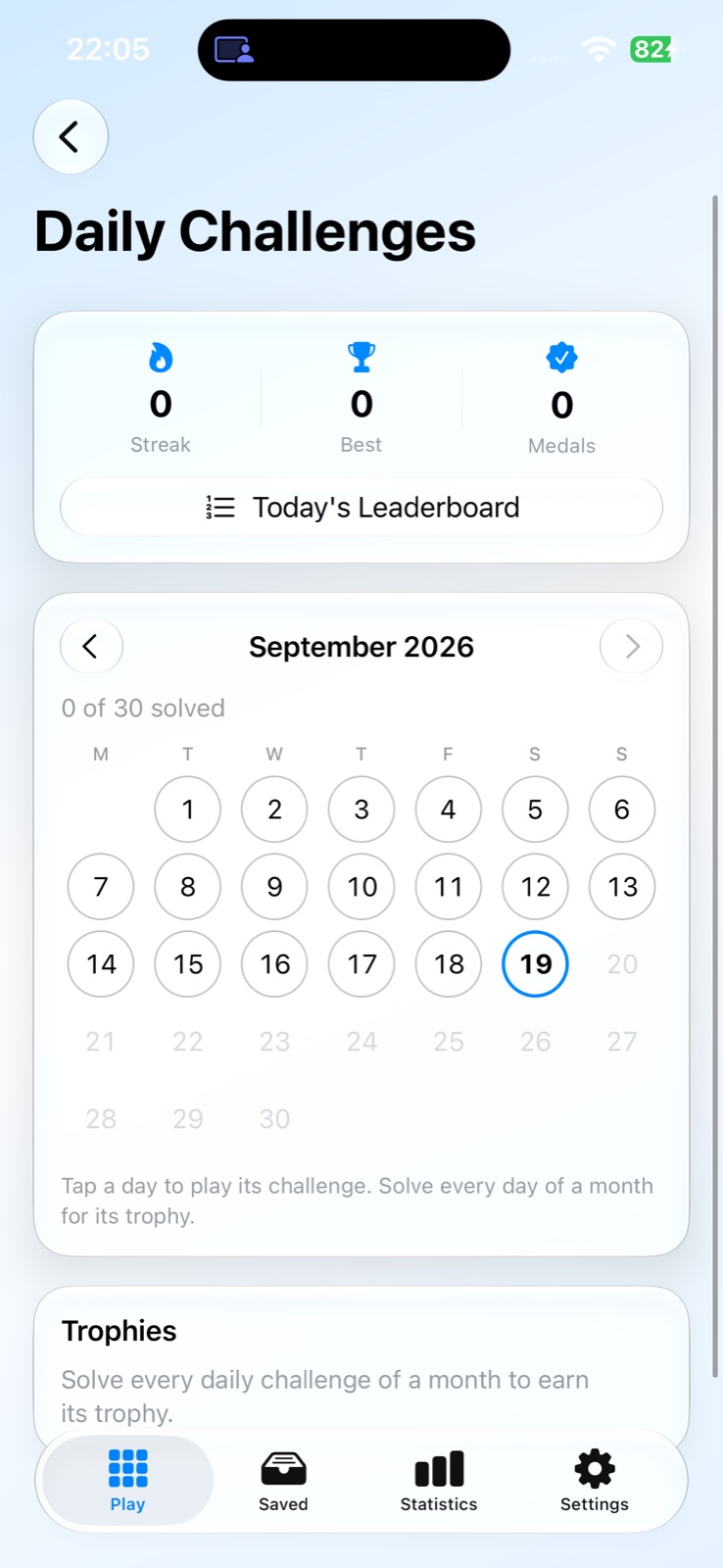
Each day brings one Medium puzzle, and it's the same grid on every device in the world — so your time on today's leaderboard means something.
- • A calendar with a medal on every solved day, your current and best daily streak, and a trophy for every fully solved month.
- • Missed a day? Tap it and play it later — past challenges are the real ones, exactly the grid everyone had that day.
- • A dedicated daily leaderboard on Game Center, alongside a best-time board for each of the five tiers.
Play Your Way
The assists a serious solver expects.
Tools that help you think, offered only where they make sense for the tier.
Pencil Marks & Candidates
Notes in every cell, with a placed digit clearing itself from its peers. On Beginner and Easy, switch on Show all candidates and let the app keep them current.
Snyder Notation
On Medium and Hard, mark a digit only where it has exactly two possible cells in a box — the notation competitive solvers use, maintained automatically.
Candidate Colouring
Tag any candidate in one of five colours to track chains and colouring arguments. Tags survive undo, save and sync.
Mistakes, Your Way
Duplicate conflicts are always highlighted. Checking against the solution is optional — a spoiler some players want, others don't.
Relaxed Mode
Hide the timer and play without the clock. Or add pressure instead: set a mistake limit and the puzzle ends when you cross it.
Digit First, Sounds & Haptics
Pick a digit, then tap every cell it belongs in. Highlight matching digits across the board. Subtle sounds and haptics, each with its own switch.
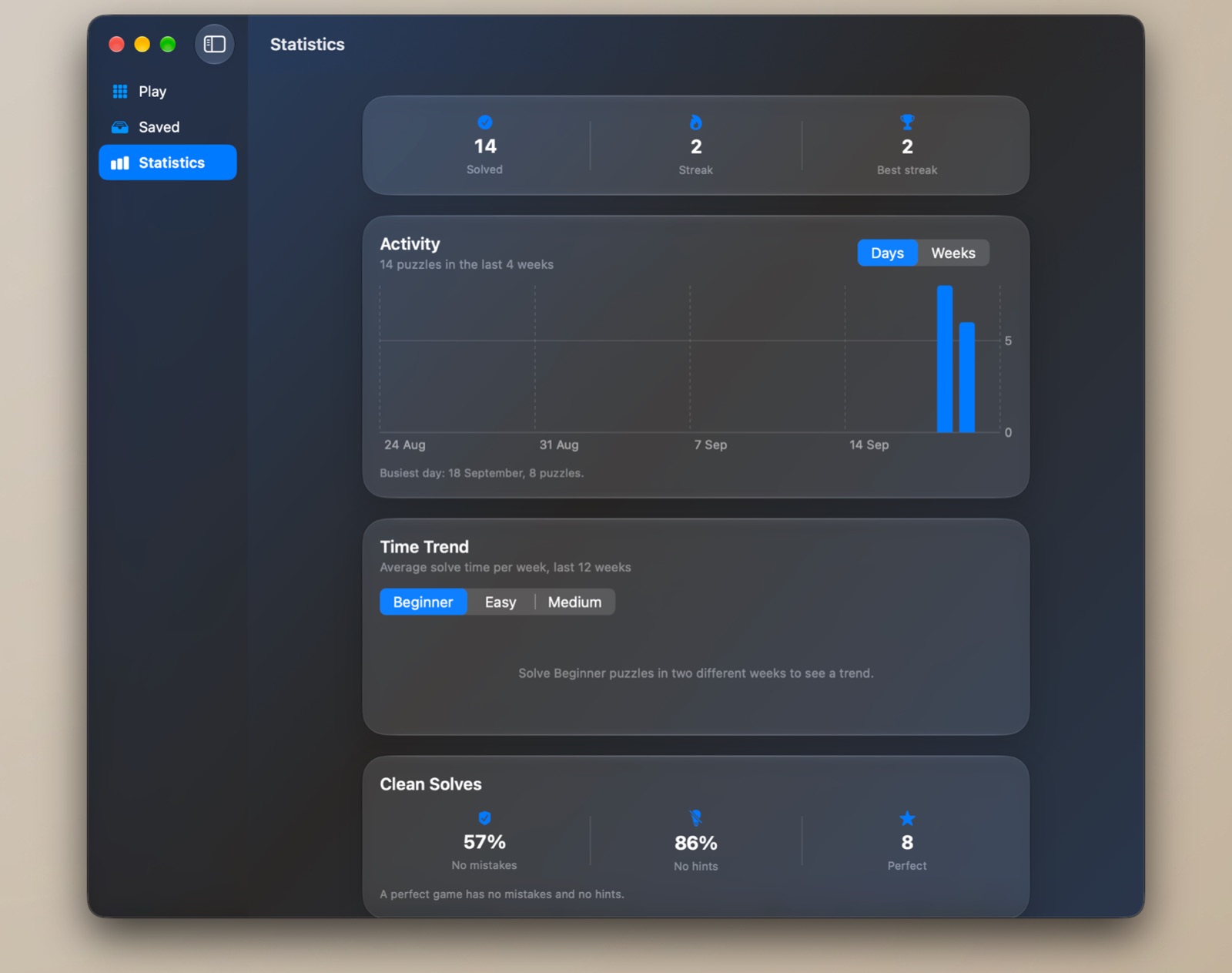
Statistics
See yourself getting faster.
- • Activity — puzzles solved per day over the last four weeks, or per week over the last twelve.
- • Time trend — your average solve time per week for any tier, with a plain reading like "36% faster than at the start of this period".
- • Clean solves — the share of games with no mistakes, the share with no hints, and the count of perfect ones.
- • Per-tier solved counts, best and average times, and the Techniques screen — all fed by results synced from every device you play on.
Sync
Start on the iPhone. Finish on the Mac.
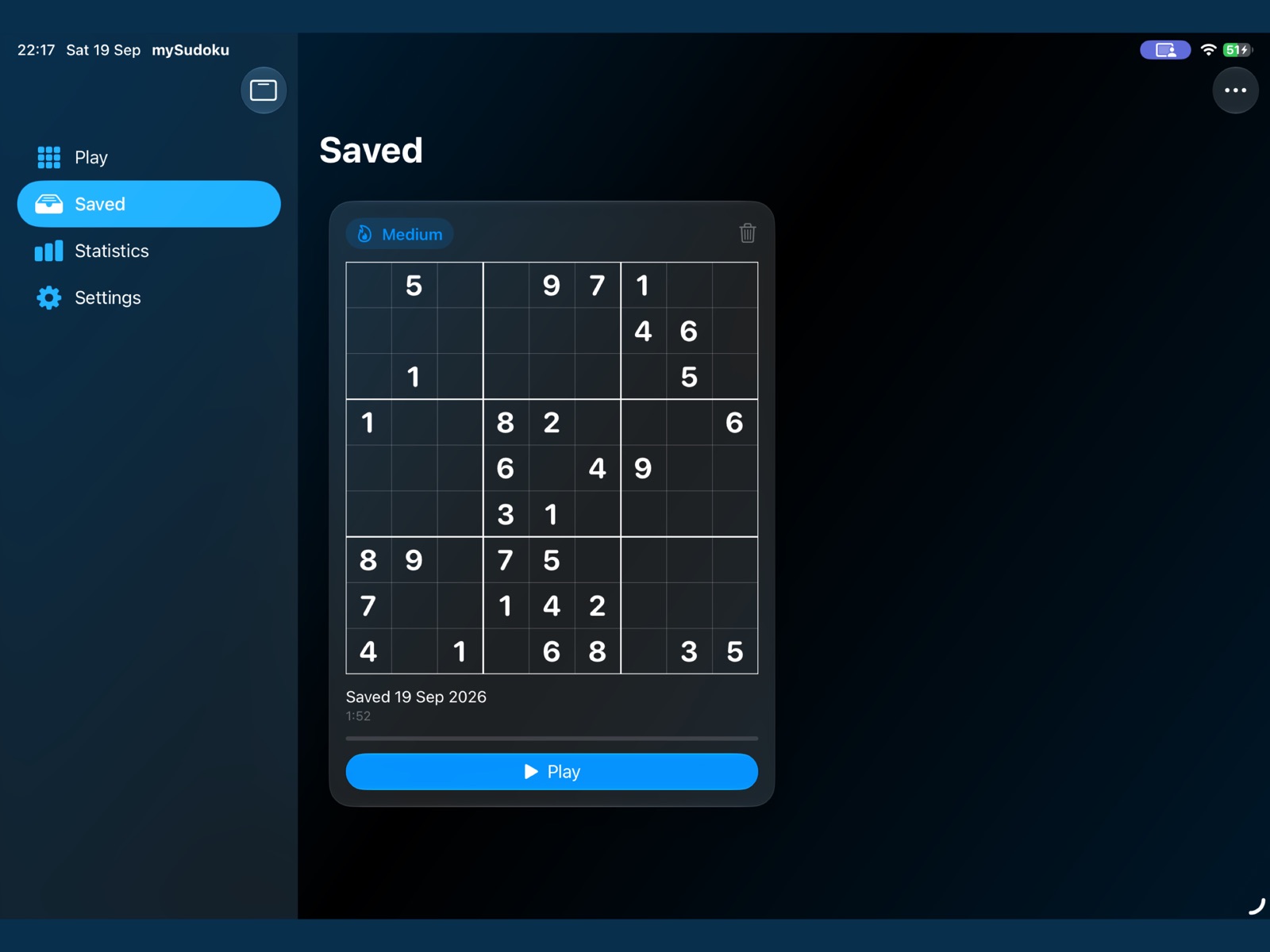
Every unfinished puzzle, every result and every technique count is stored in your iCloud — not on a server of ours. Put the phone down mid-puzzle and the Continue card on your Mac already knows it was last played on iPhone or iPad.
The Saved tab lists every puzzle in progress as a card with a picture of the board, so you can tell one Medium from another at a glance. Share any puzzle as text, or print it — blank or with your progress — as a one-page PDF with the puzzle string in the footer for re-import.
Made for the Mac
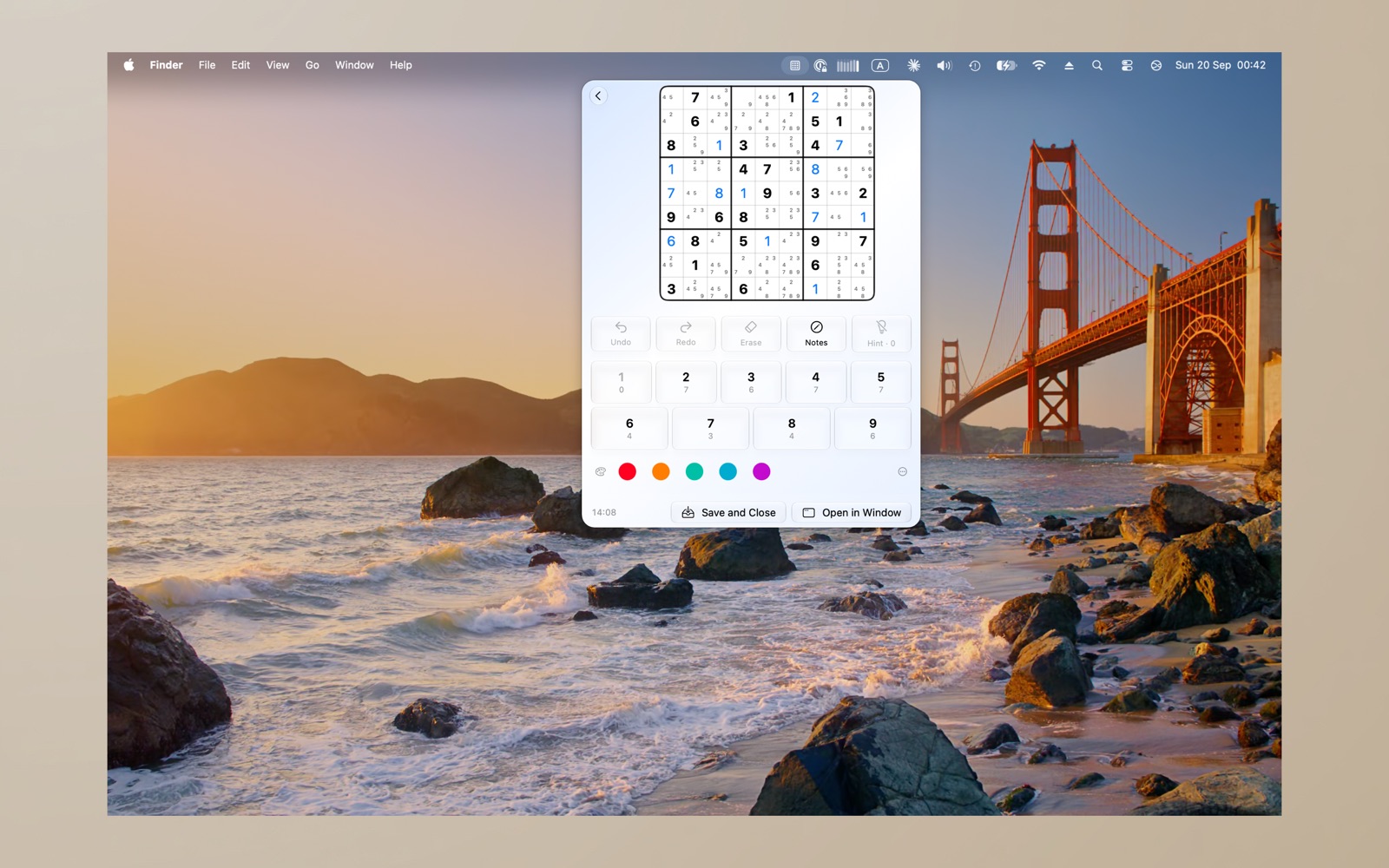
A puzzle in the menu bar.
Click the grid icon in the menu bar and your current puzzle drops down right there — a few cells between meetings, no window to find. Launch at Login keeps it one click away.
The main window is a real macOS app: arrow keys move the cursor, digits place, Option-digit pencils in a candidate, and every command has a keyboard shortcut. Resize it as you like — the board and pencil marks scale with the window.
Game Center
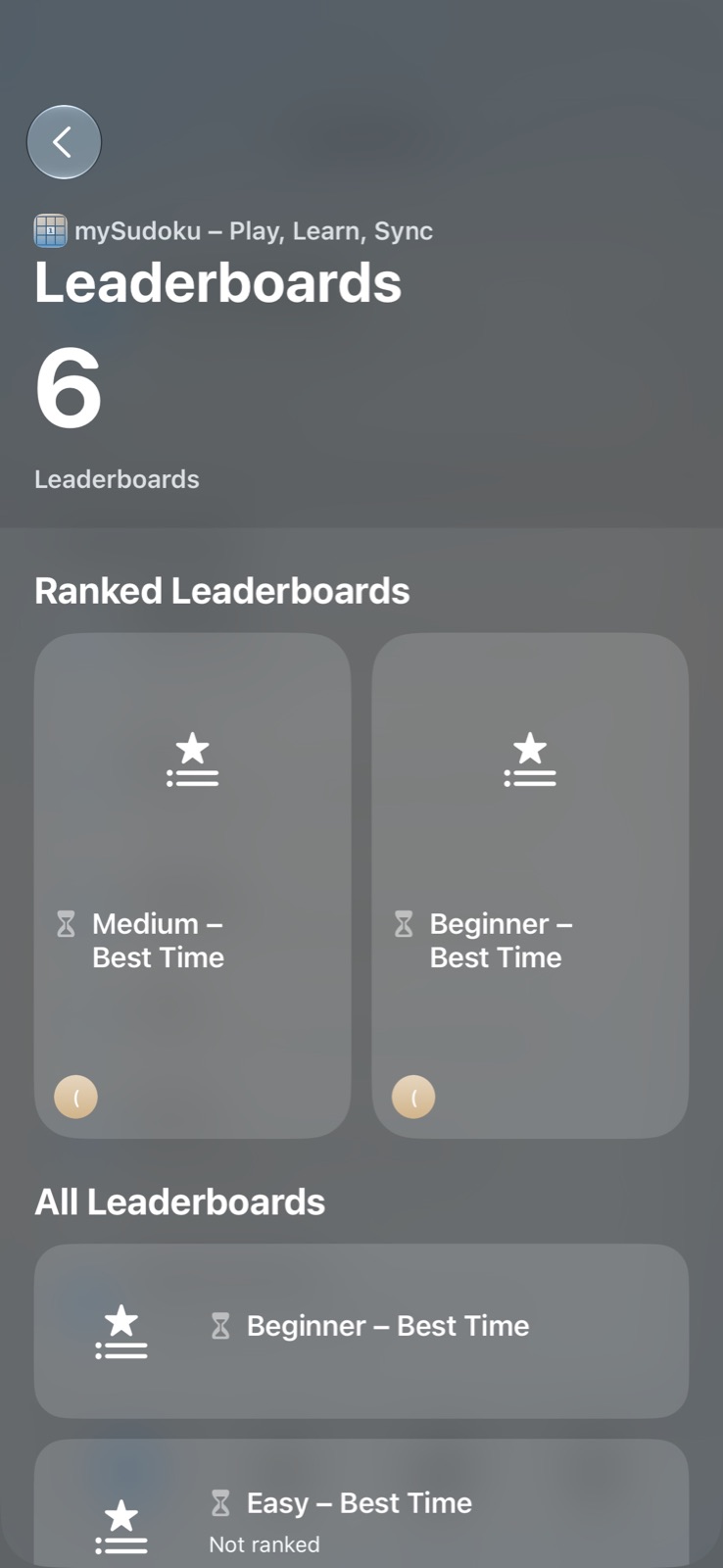
Six leaderboards, eleven achievements.
A best-time leaderboard for each of the five tiers plus one for today's daily challenge, timed to the hundredth of a second. Browse them inside the app, with your own row highlighted.
Achievements mark the milestones — your first puzzle, your first solve at each tier, and more. Only generated puzzles count toward the boards; imported and practice puzzles are kept off them, so every time is comparable.
Pricing
Free for 30 days. Then $4.99, once.
Every feature is unlocked for the first 30 days. After that, Beginner puzzles stay free forever, and a single one-time purchase unlocks the rest — every tier, the daily calendar, lessons and practice by technique. No subscription, no ads, and Family Sharing for up to five family members.
iPhone
Portrait, one hand
The board on top, the number pad under your thumb. Long-press a cell to colour a candidate. A full puzzle fits without scrolling.
iPad
Any orientation
Portrait or landscape — in landscape the board sits beside the number pad and assists, with the sidebar always at hand.
Mac
Native window · Menu bar
A resizable native app with full keyboard control, plus the menu bar puzzle. Print any board straight from the toolbar.
One universal purchase covers iPhone, iPad and Mac. Your puzzles sync through your own iCloud account — mySudoku collects no data.
Play. Learn. Sync.
mySudoku is coming soon to the App Store for iPhone, iPad and Mac. Leave your email and we'll let you know the moment it's live.