
A Nibble Workshop Tool
myApp Ledger
Archive · Reconcile · Forecast
How much did you really earn, where did it come from, and when does the money arrive? App Store Connect shows you a rolling window of estimates. myApp Ledger keeps every report, forever, and ties them to what Apple actually pays.
Mac-first, with the same archive on iPhone and iPad through iCloud. It talks only to App Store Connect and your own iCloud: there is no server in between.
macOS · iPhone · iPad
The problem
Three numbers that never agree.
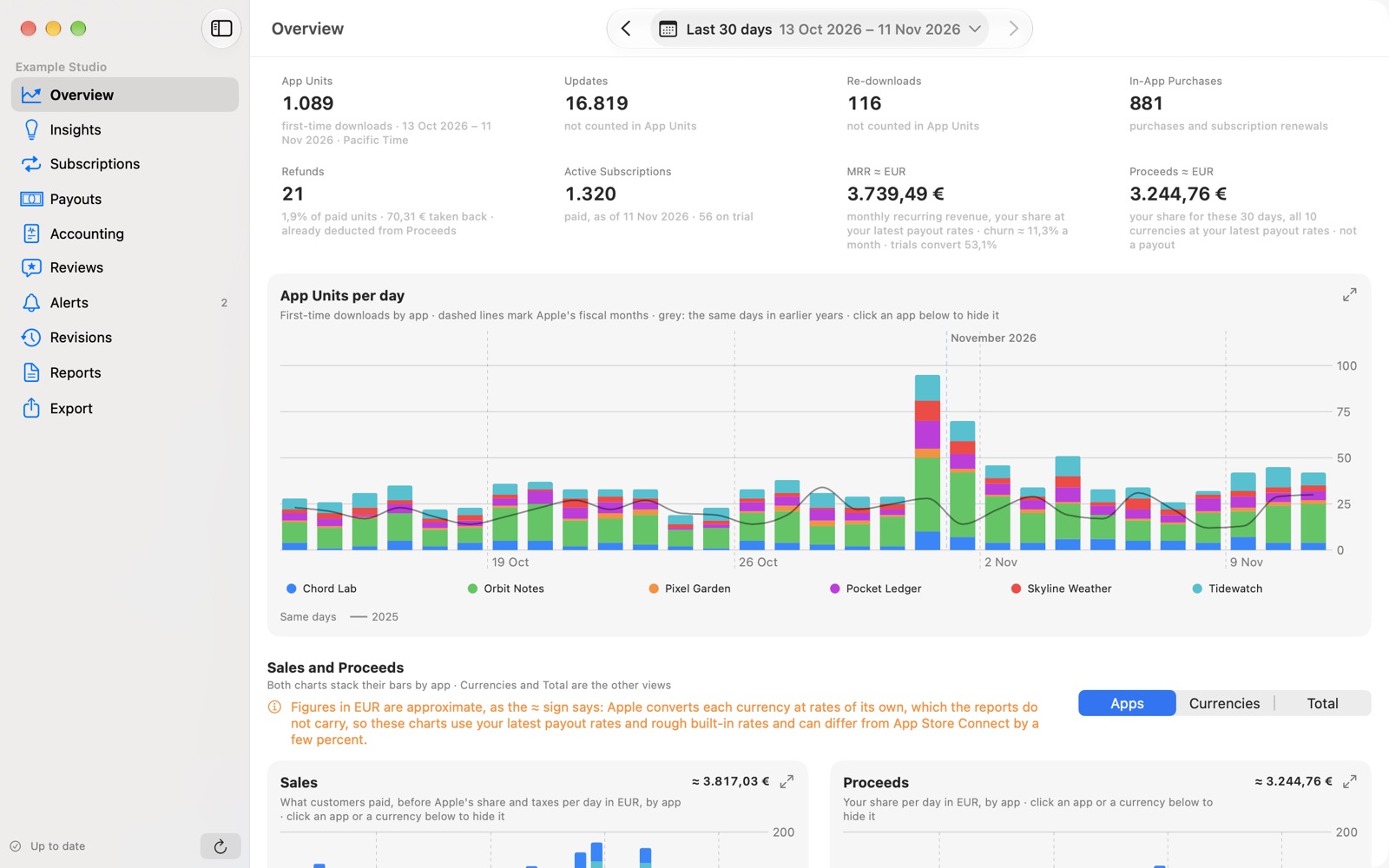
What you sold, what Apple reports, and what lands in your bank are three different figures. App Store Connect has no tool to explain the gap. myApp Ledger does.
Estimate
Daily sales reports
Available the next morning. Fast, but an estimate: currencies, refunds and Apple's fiscal calendar move it later.
Financial
Apple's monthly statement
The actual figure per region and currency, published after the fiscal month closes.
Paid
The bank deposit
What you recorded from your statement, at Apple's exchange rate of the day. Apple offers no API for it, so you enter it once and the forecast learns from it.
Payouts
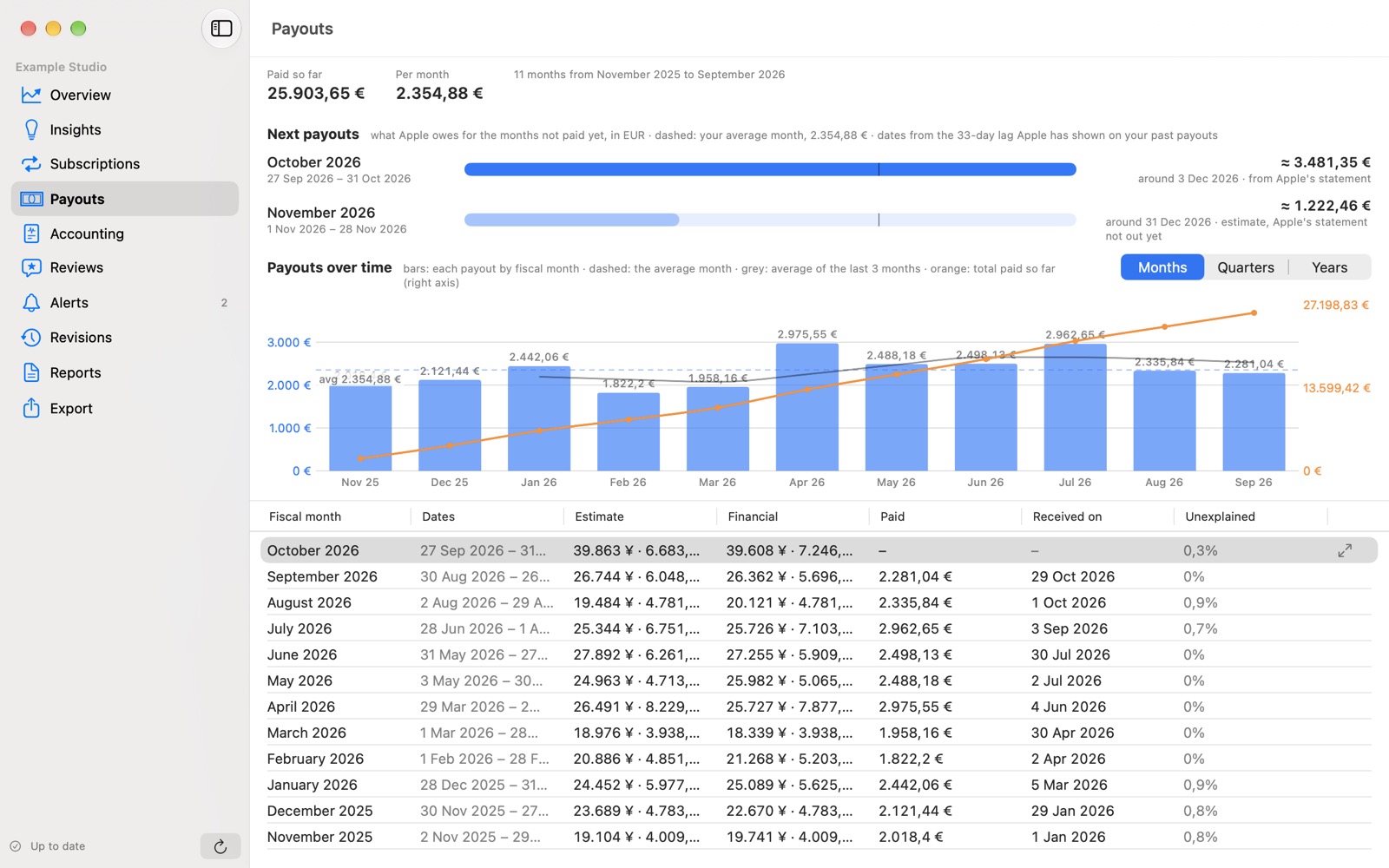
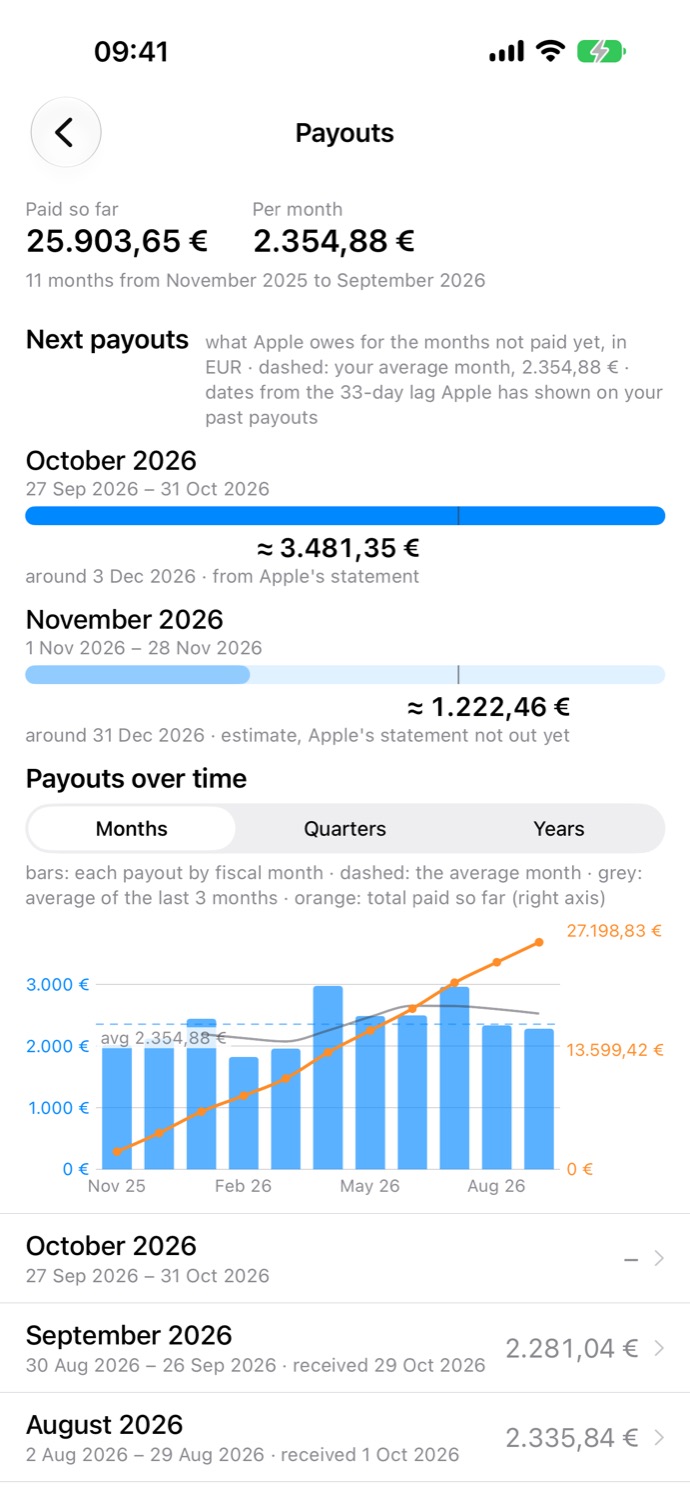
See what Apple owes you, and when.
Every fiscal month on one row: estimate, financial statement, paid amount, the date it arrived and the share that stays unexplained. Open a month and each gap is broken down by currency, product and territory.
The next-payout bars show what Apple owes for months not yet paid, with a date based on the lag your earlier deposits have shown.
Features
A ledger, not a prettier dashboard.
Built for developers with a handful of apps, paid or subscription, who check revenue weekly and get paid by Apple monthly.
Permanent archive
Every daily sales report and monthly financial statement is stored as Apple sent it, so a parser change or a report Apple retires never costs you history. Export any period as CSV, or the whole archive as a SQLite copy.
Reconciliation
For each Apple fiscal month, daily estimates, Apple's financial statement and the deposit that reached your bank sit side by side, and every gap gets a line that explains it: timing, refunds, price tiers, rounding.
Payout forecast
From your past deposits it learns when Apple pays and at what exchange rates, then estimates the next payout in your bank currency, with the expected date.
Insights, computed
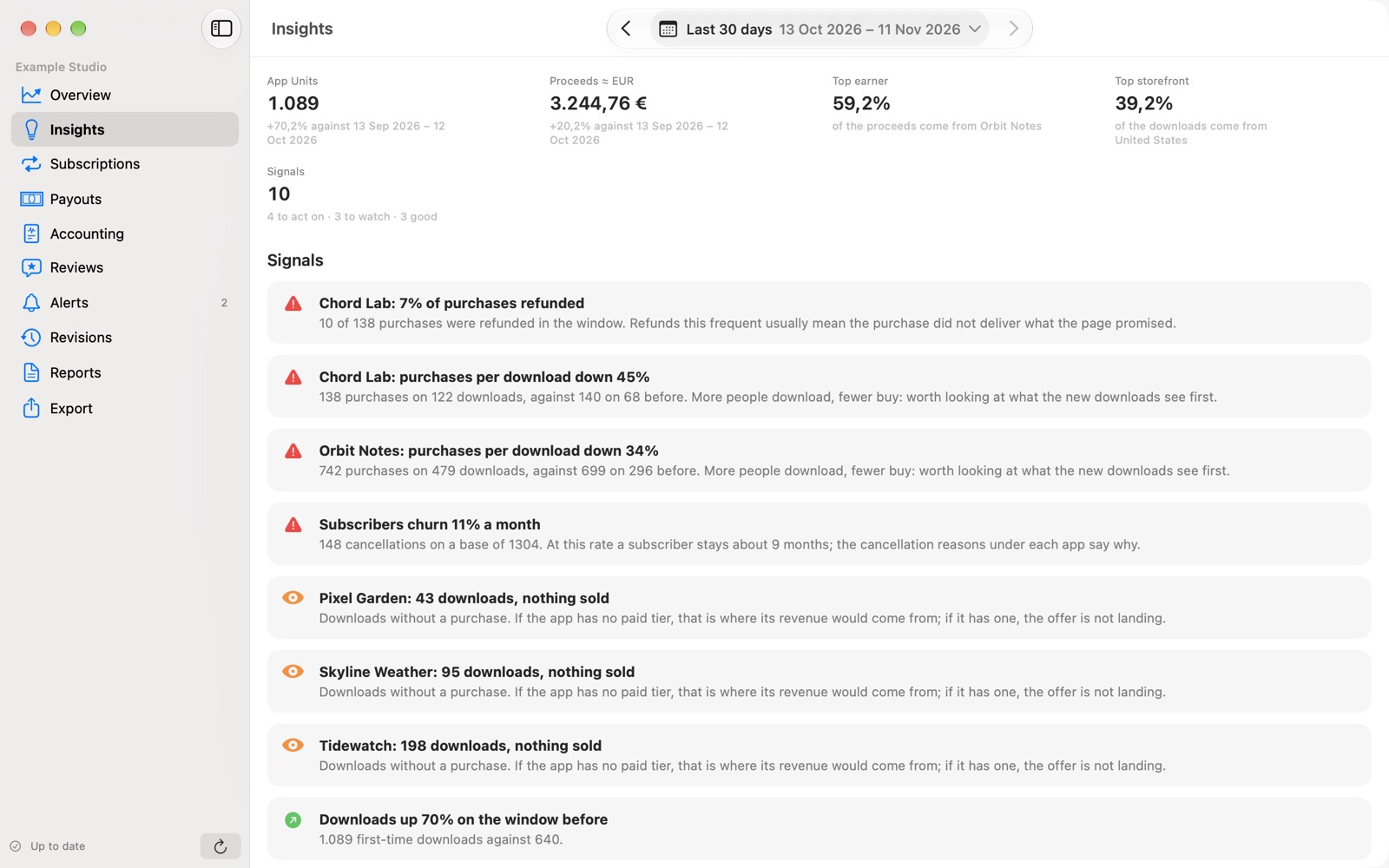
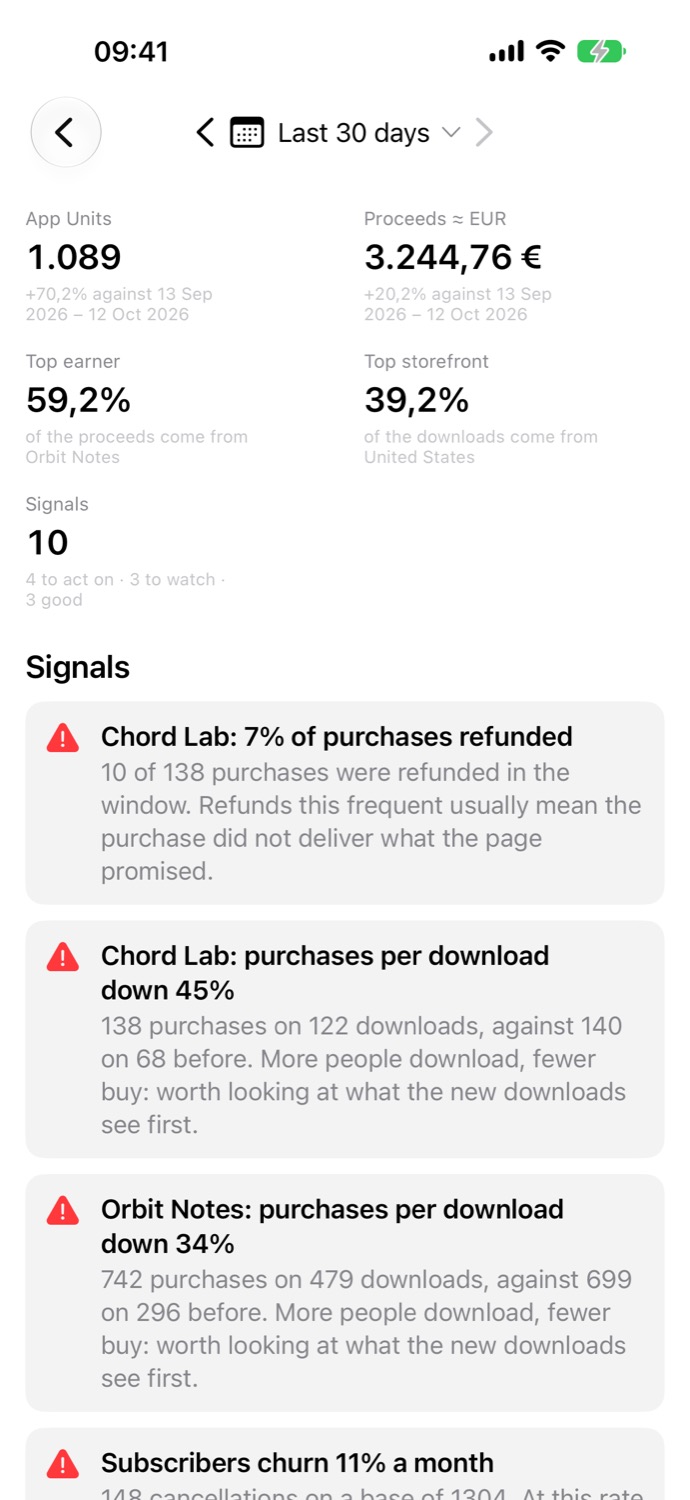
Ten fixed rules read the whole portfolio against the period before and raise signals: refund spikes, purchases per download falling, apps that sell nothing, one storefront carrying everything. No model writes it.
Subscriptions
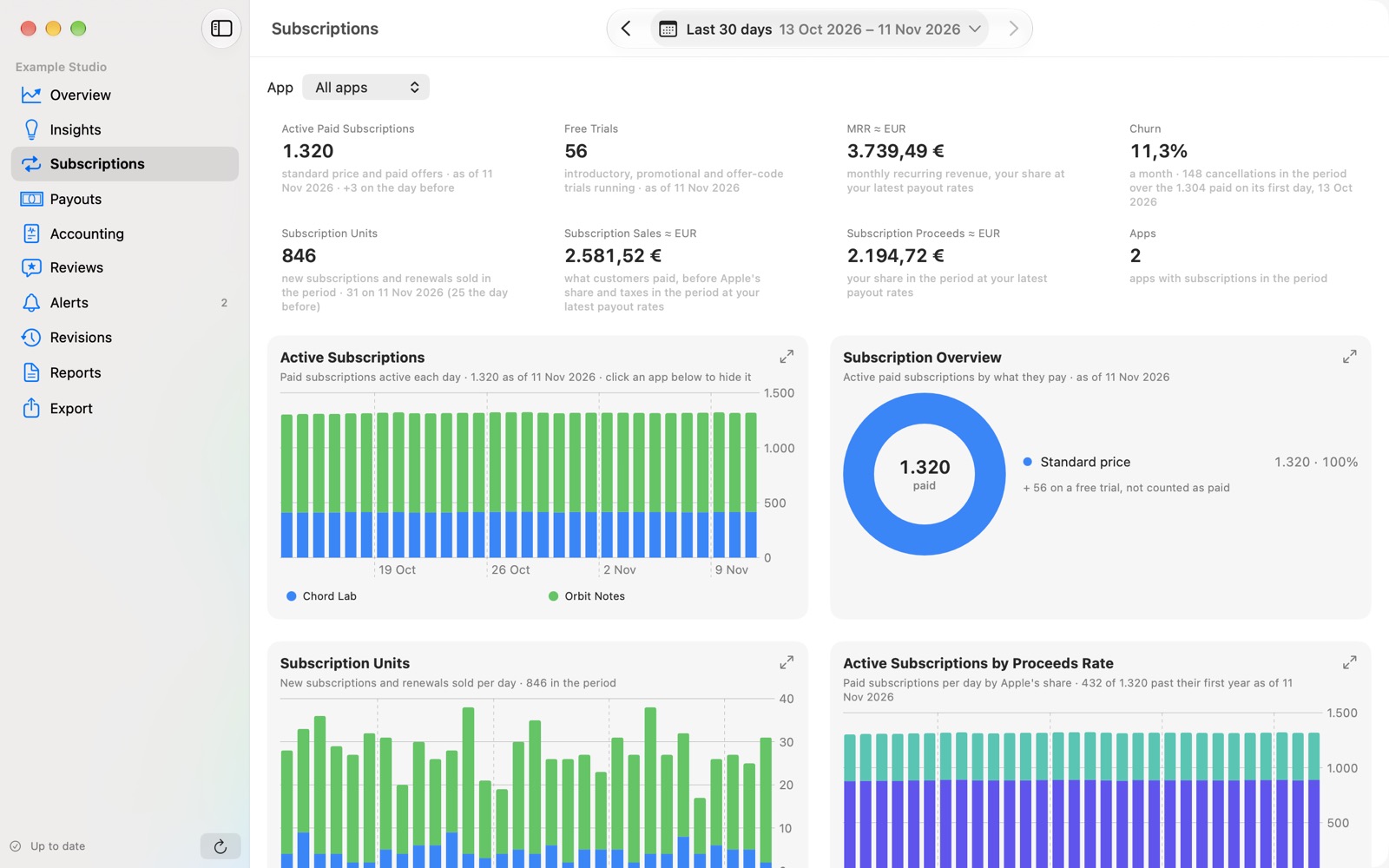
Active paid subscriptions and trials, MRR, monthly churn, trial conversion, and the proceeds rate that shows how many subscribers have passed their first paid year.
Revisions
When Apple restates a day you already saw, myApp Ledger keeps both versions and shows exactly what changed, so the numbers you remember stay explainable.
Accounting
Record deposits and expenses, count income on a cash or accrual basis, switch between month, quarter, half-year and year, and export what your accountant asks for.
Reviews & alerts
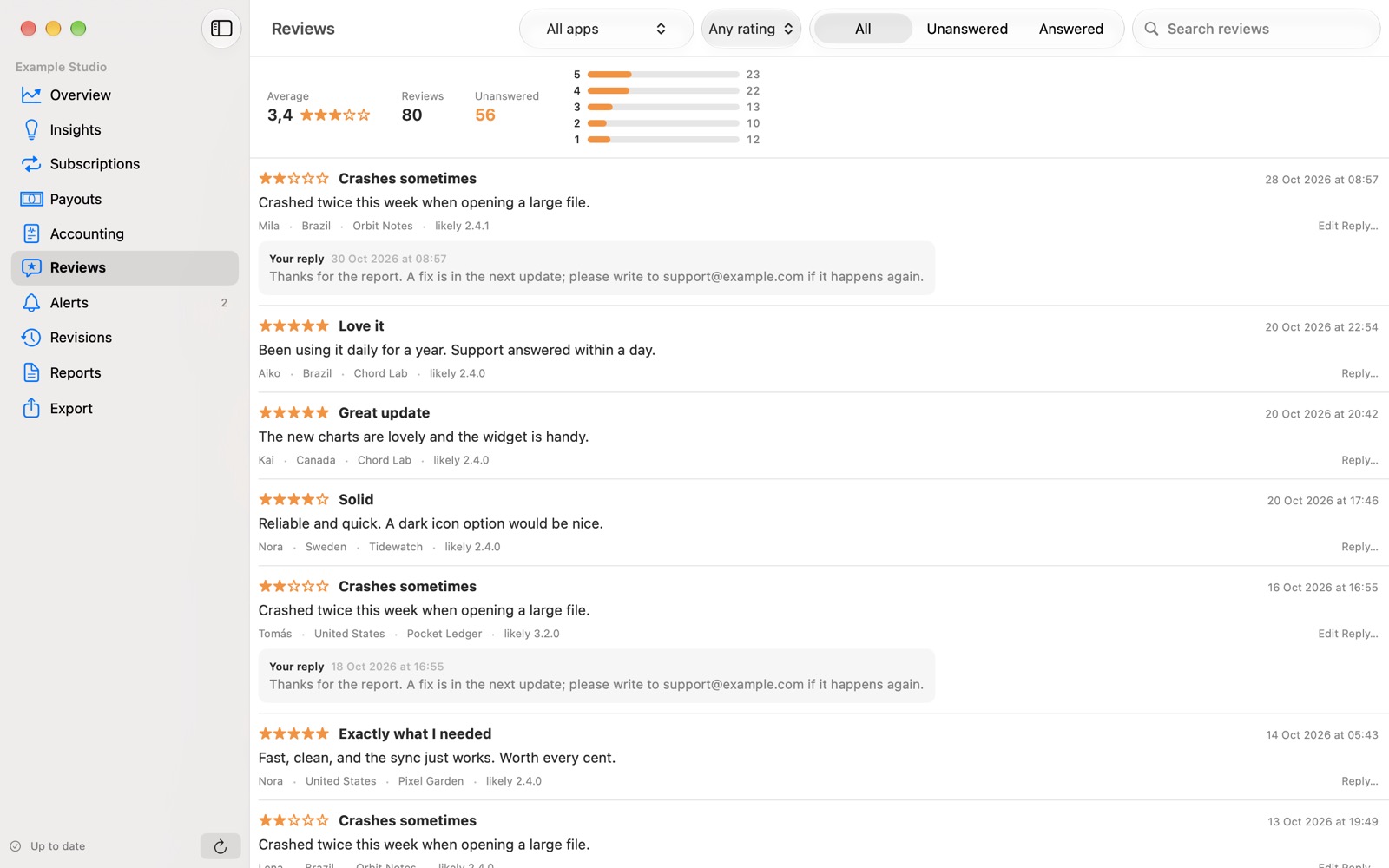
Read reviews from every app, answer them from one place, and get an alert when something needs attention. A widget and a menu-bar item keep the headline numbers in sight.
Many accounts
Several App Store Connect teams and vendor numbers side by side, for a studio or a freelancer who reports per client.
Insights
Told what stands out.
Each period is read against the one before it. Signals come in three colours: act on, watch, good. Each names the app, states the figures behind it and suggests where to look.
The rules are fixed and published in the in-app guide. Computed, not generated: a signal is a prompt to look, not a verdict.
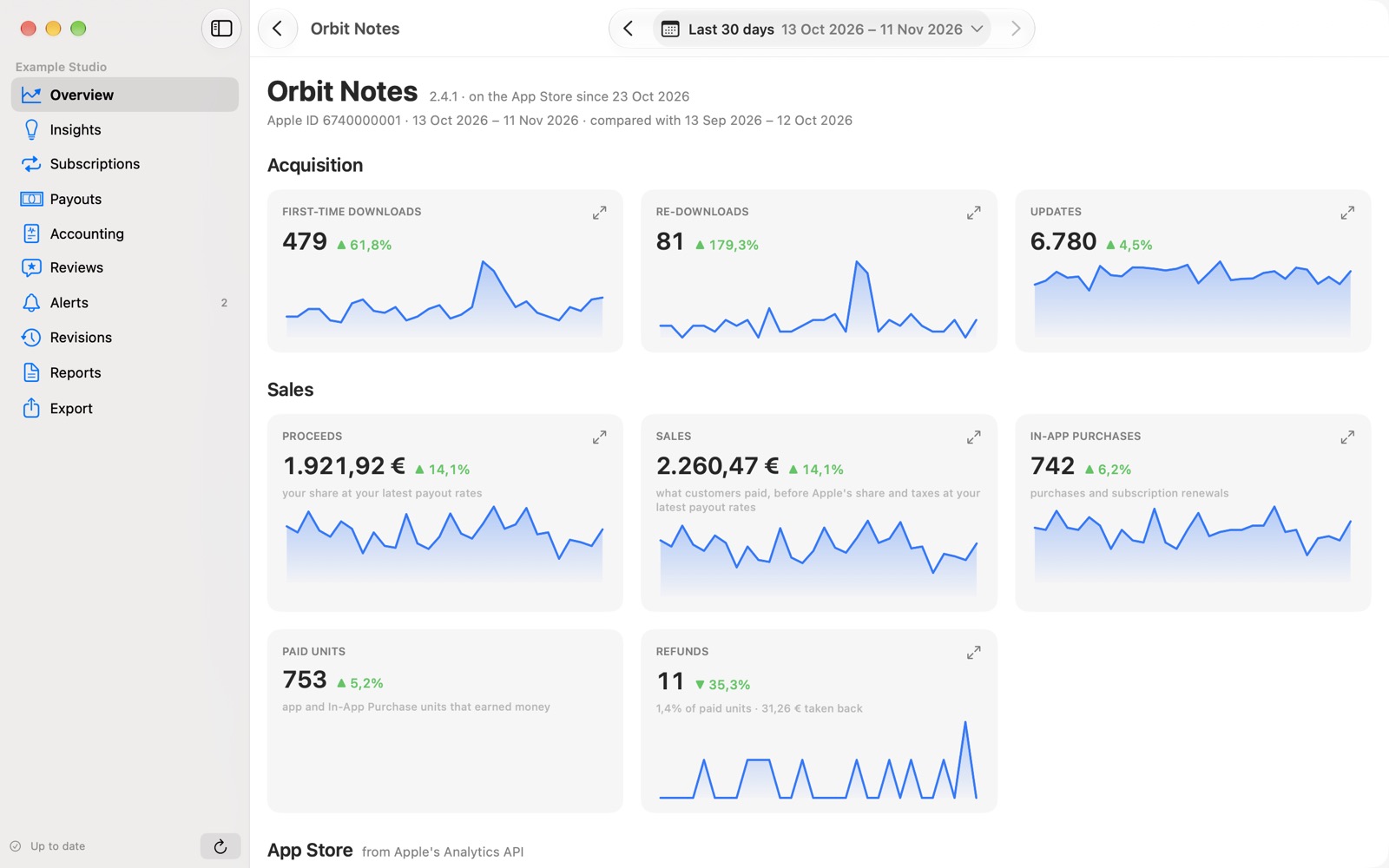
Per app
Every app, in depth.
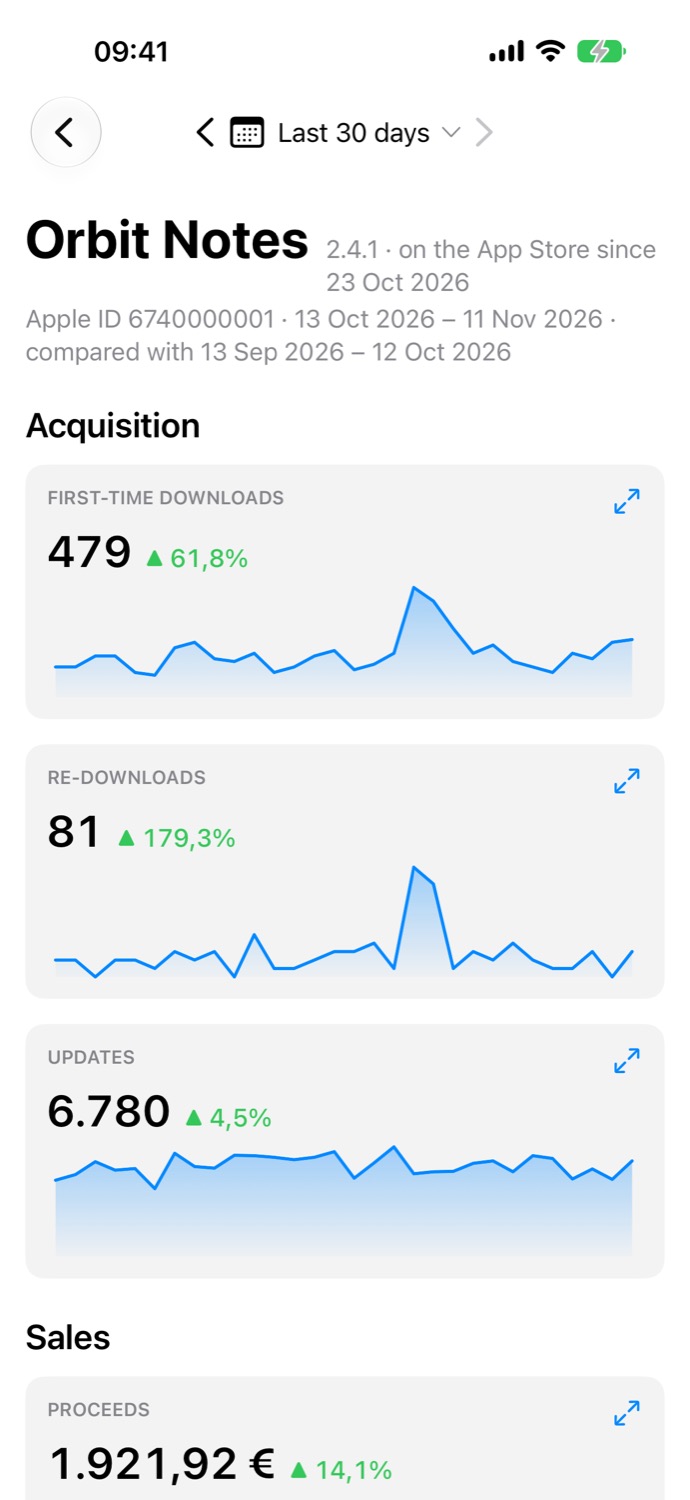
Open any app for downloads, re-downloads, updates, proceeds, sales, purchases and refunds, each compared with the period before. Where Apple's Analytics API provides them, impressions, conversion, crashes and sessions appear too.
Charts enlarge, hide apps from the legend, and draw the same days one and two years earlier, a comparison App Store Connect does not offer.
Subscriptions & Reviews
The business behind the downloads.
Platforms
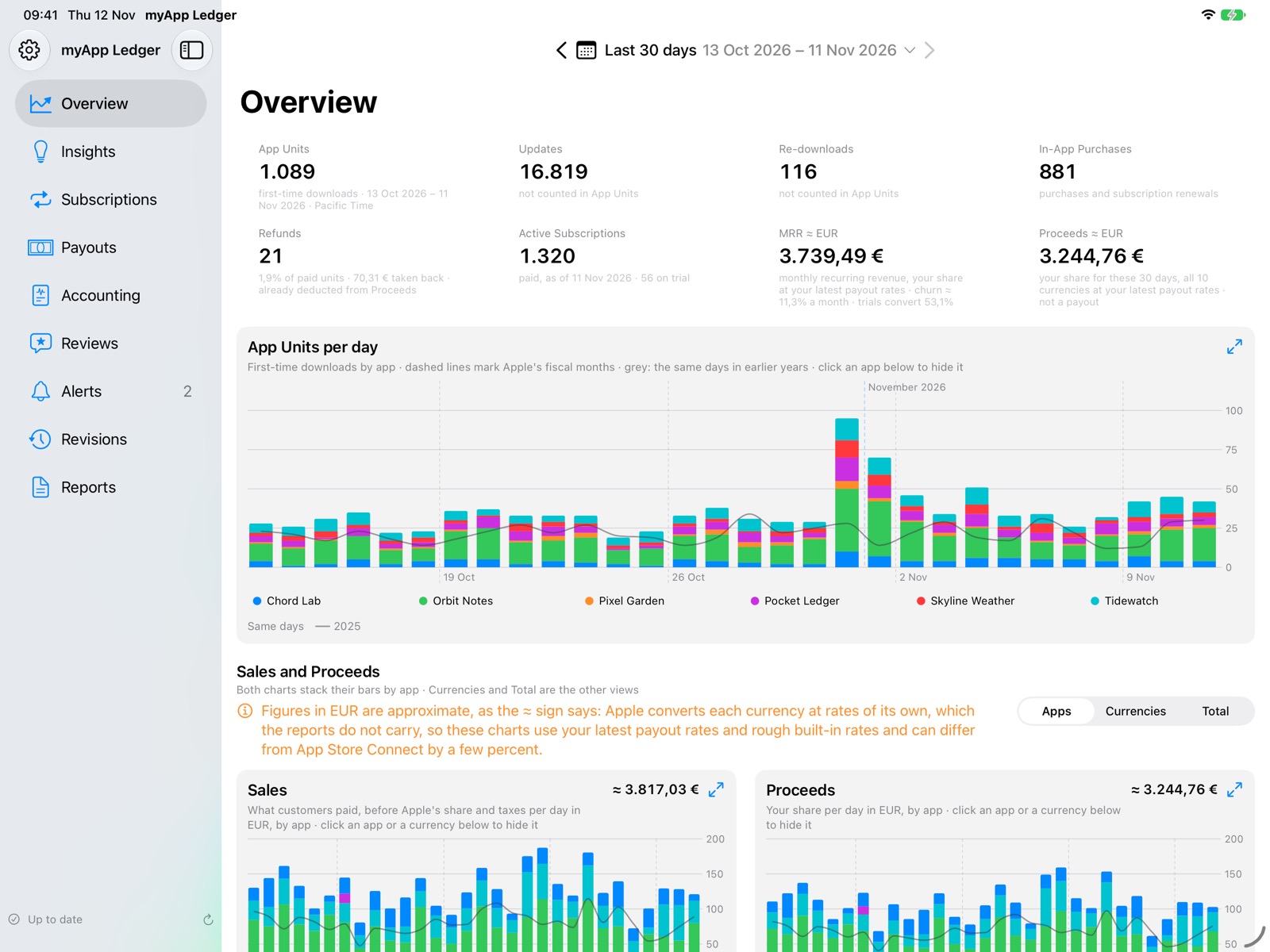
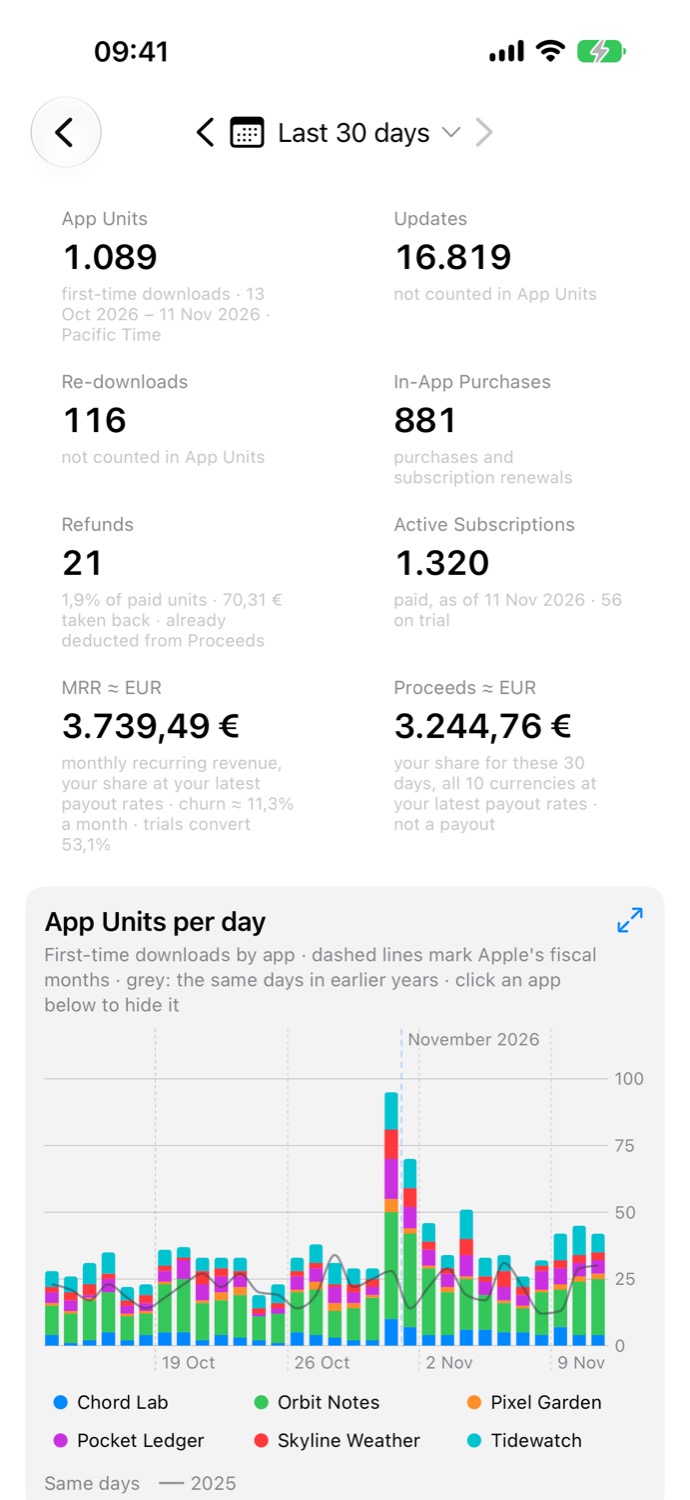
Mac first. iPhone and iPad too.
The Mac app has the full feature set, with a menu-bar item, a widget and file exports. iPhone and iPad open the same archive through iCloud, fetch in the background, and let you record deposits, expenses and review replies on the go.
Privacy
Your data stays yours.
There is no backend. Financial data is sensitive, so myApp Ledger never sends it anywhere except where you already keep it.
No server
The app talks only to App Store Connect and, when sync is on, your private iCloud. Nobody at Nibble Workshop can see your numbers.
Key in the Keychain
Your API key's private part goes into the Keychain and never into the archive. It is a read-only key you can revoke in App Store Connect at any time.
Sandboxed
The Mac app runs in the App Sandbox. The archive lives in its own container and syncs to your other devices through iCloud.
Getting started
Three things from App Store Connect.
- A team API key with the Finance role, from Users and Access › Integrations.
- The key's Issuer ID.
- Your vendor number, from Payments and Financial Reports.
Individual keys cannot read sales or finance reports; the app tells you during setup if yours is one. The first refresh fetches a year of daily reports and every monthly statement Apple has. Just looking? Explore with Demo Data shows every screen with a fictional studio and no key.
Free and Pro
Thirty days, everything open.
The trial starts by itself with your first real archive, and a reinstall or a second device does not restart it. After it, a limited Overview stays free and the archive keeps filling. Pro opens everything, as a yearly subscription or a one-time lifetime purchase.
Requires macOS 27 or later on the Mac. Prices will be shown on the App Store page.
Archive. Reconcile. Forecast.
myApp Ledger is coming to the App Store. Leave your email and you will hear when it is out.